Showing posts with label Software. Show all posts

Friday, 9 November 2012

Want to add subtitles to Vocaloid Videos?

Well, the first task would be to find a decent video editing software, but which one do you use?

I've been looking around lately, trying out the so called 'best' programs to use, and I have compiled a list for you guys to see which is the best to use.
After all, there is only advice on editing the videos, but we need advice on adding subtitles!

NOTE to you guys: These reviews are mainly negative - but as most programs out there are lacking!

1. Windows Movie Maker
According to just about anyone, Wndows Movie Maker is the best choice, but for Windows XP users, it is just about useless for subtitles. The only available version for XP adds text in huge letters across the video, and this is useless when deciding you want to sub an animated PV. It also does not let you edit mp4 files, so you have to convert them before you can sub them. The new version is said to be a lot better, but concidering I have XP...moving on...


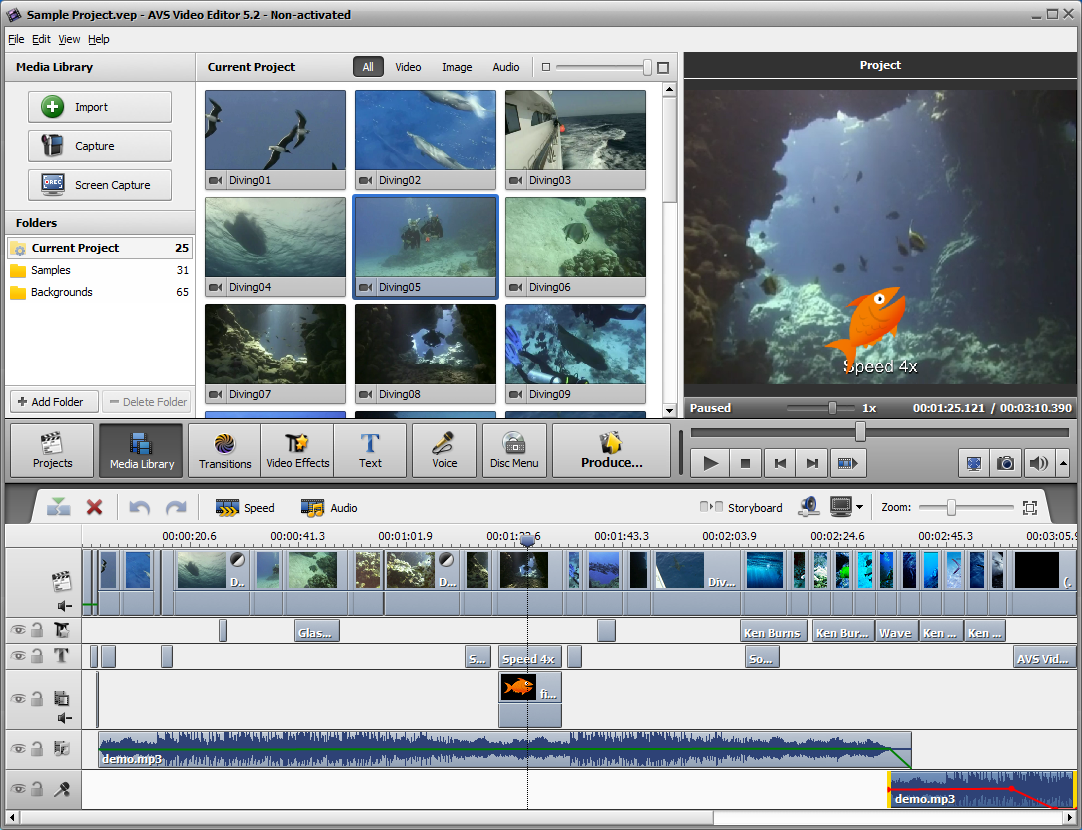
2. AVS Video Editor

This video editor is pure genius when it comes to the general program. It is easy to use, and although can tend to lag, has a huge variety in what you do with text. It would be my top pick, but it always comes down to one thing: Price. If you download the free version, it still seems miraculous in the beginning, as it still has a huge variety in features. However,  at the end of your creation, when it comes to converting the video, it places a strange red watermark in the centre of the video - unless you buy the full version. There is also lots of variety in the format you save it as, which can be a big bonus. But unless you're willing to pay for your creations, I'd give this download a miss, or all your end results will end in disaster.

3. VideoPad Video Editor

This video editor is quite good, but hard to get to grips with. People who haven't used the program before can struggle, and it is difficult and lags. The text is also force-ably placed at the bottom of the video. I'd avoid this program - unless you are REALLY struggling for software. It has a good variety of colours, however, and sizing the text isn't a problem.There is also a page on the website, also, where you can submit your ideas for the program. I myself have submitted a comment on subtitle adding. Also, there may be a time limit to how long you can keep the free version - I didn't keep it long enough to find out!

THE CONCLUSION

Don't download software for adding subtitles, unless you're  prepared to pay for full versions of things such as AVS. The free software has many limitations, but it seems that text is nearly always what they limit. I would advise you to get a crack instead of paying, but not only will this damage the company that makes the software, but it will harm you as you can spend hours looking for a version that works, which can clog up your computer and pick up viruses. One thing you could do, is use internet software, but often this can add water marks and other random things you don't necisarilly want. I will add links if I find any good ones later, but so far the results are minor.
Overall, however, AVS Video Editor was the winner for the task. It was easy to use and had lots of variety, they only real problem being the obvious price. It can lag, but that is generally down to your own computer, so when processing videos it is best to have that program running alone.


Tuesday, 6 November 2012

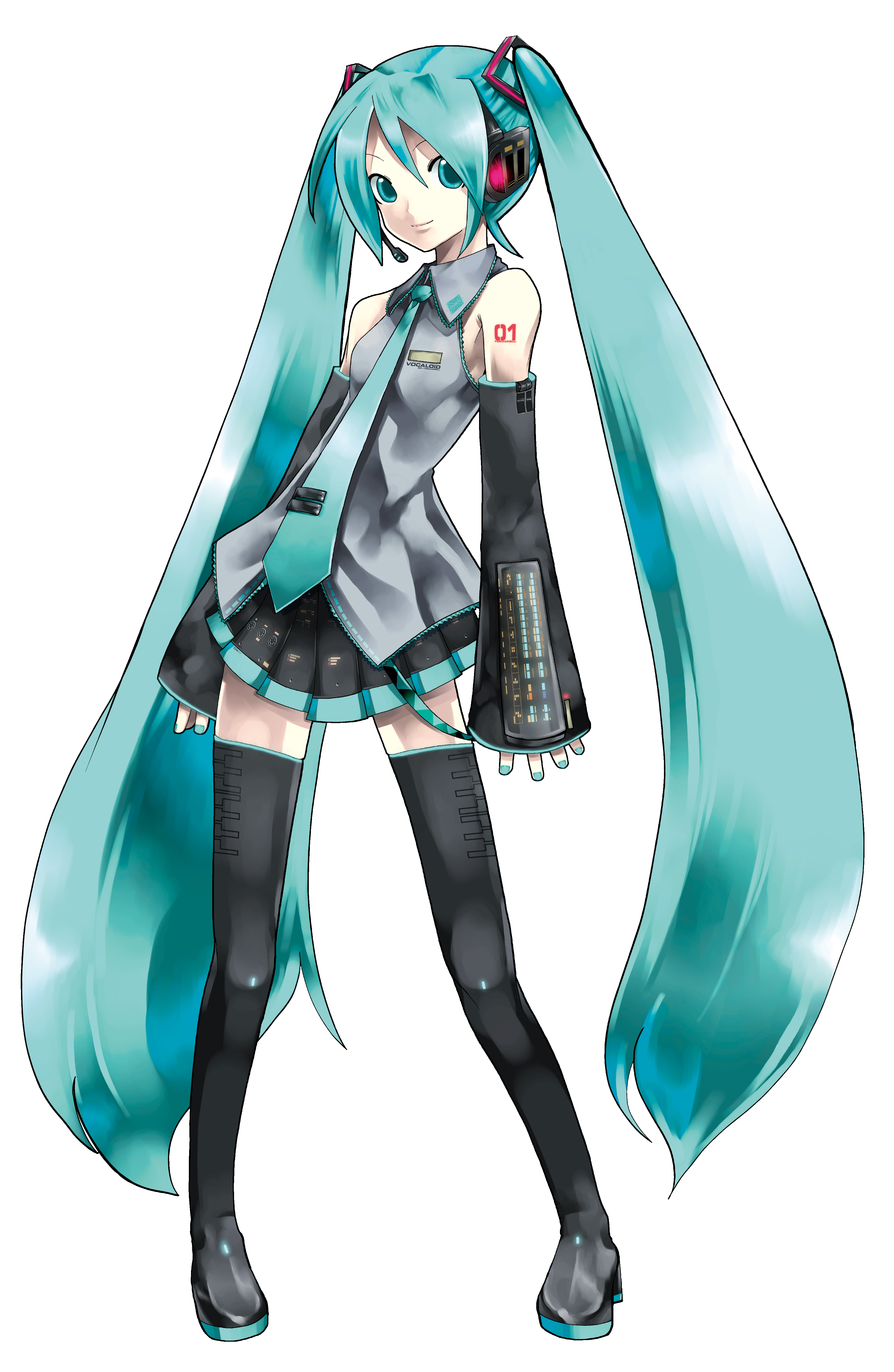
Vocaloid Hatsune Miku

Debatably the most popular Vocaloid ever, Hatsune Miku's mascot has appeared in the form of everything from figurines to concerts. Being one of my favourite Vocaloids, I feel it fit to post my next topic on her.

Data on Hatsune Miku
Name: Hatsune Miku
Voice Provider: Saki Fujita
Versions: CV01 Hatsune Miku, CV01 Hatsune Miku Append (Creating Miku English Version+Planning V3 Hatsune Miku)
Release Date: August 31st 2007 (Original Miku), April 30th 2010 (Miku Append)
Language/s: Japanese
Official Web page: http://www.crypton.co.jp/mp/pages/prod/vocaloid/cv01.jsp

Strengths: (Original) Very unlikely to loose her original sweet tone, stronger 'attack' notes, results more favourable to new users. (Append) Can be made to resemble voice provider, has variety in tone and volume.
Weaknesses: (Original) Doesn't sound very realistic, nor compares to her voice provider, voice not very smooth. (Append) If not used in variety, songs can song bad - so not very favourable to new users, Hard to distinguish between Light and Vivid voice banks.

Append Voice banks Available: Sweet, Dark, Soft, Light, Vivid, Solid.

Mascot Data:
Birthday: August 31st
Age: 16
Gender: Female
Height: 5'02''/158cm
Weight: 92.4lbs/42kg
Mascot Item: Spring Onion
Appearance: (for official appearances, see images)

Original                                                                                                                           Append
Hatsune Miku
Hatsune Miku Append


Technical Information
Original
Optimum Tempo: 70 ~ 150 BPM
Optimum Range:  A3 ~ E5
Optimum Genre: Pop Idol/Pop Dance

Append Sweet (My Favourite Append <3)

Optimum Tempo: 55 ~ 155BPM
Optimum Range: F 3 ~ D5
Miku lazying about
Optimum Genre: French Pop/ Ballad/Electronica

Append Dark
Optimum Tempo: 60 ~ 145BPM
Optimum Range: D3 ~ B4
Optimum Genre: Ballad/Jazz/Folk/Ambient

Append Soft
Optimum Tempo: 70 ~ 150BPM
Optimum Range: A3 ~ E5
Optimum Genre: Soft Rock/Ballad/Folk/Ambient

Append Light
Optimum Tempo: 85 ~ 175BPM
Optimum Range: A3 ~ D5
Optimum Genre: Pop/Rock/Dance/Techno Pop

Append Vivid
Optimum Tempo: 95 ~ 180BPM
Optimum Range: G3 ~ D5
Optimum Genre: Pop/Techno Pop/Trad

Append Solid
Optimum Tempo: 65 ~ 160BPM
Optimum Range: D3 ~ C5
Optimum Genre: Pop/Rock/Dance/Electro

Demo Versions

YouTube:
First Demo Song

NicoNicoDouga:
If anyone knows a link to her demo, please tell me :)

Promotional Videos for Hatsune Miku will appear in later posts. For those that can't wait can visit my YouTube channel for my playlist, here: UtaiteUploader's YouTube Channel: Hatsune Miku Playlist

Wednesday, 31 October 2012

Vocaloid MEIKO

I'm attempting to build up that empty list of links on my Vocaloid page, and noticed I didn't have a Vocaloid from the first series, so here is my first post for that series!

Data on MEIKO
Name: MEIKO
Voice Provider: Meiko Haigo
Versions: DTM MEIKO (Planning V3 MEIKO and MEIKO English versions)
Release Date: 5th November 2004
Languages: Japanese
Original Illustrator: Shogo Washizu

Strengths: Steady, Straight-Forward, Matches most music genres
Weaknesses: Lesser quality than other Vocaloids and harder to use.

Mascot Data
 Birthday: 5th November
Age: Unknown. Usually seen as 18, and 16 to her fanmade mascot, Sakine Meiko.
Gender: Female
Appearance: (see image)

Demo Versions:

Unknown...will add them when I finally find them :)


Promotional Videos for MEIKO will appear in future posts. You can see my current playlist on my YouTube channel, here:


UtaiteUploader's YouTube Channel - MEIKO Playlist

 My opinions on MEIKO are really vague. I love her design, but her voice can be quite vague unless you really know how to push her to the limit. I can't wait to see her new versions, however, as I believe I only have such a negative impression on her as she is one of the originally released Vocaloids, so the software wasn't as good. Let's hope they do a good job at improving her <3